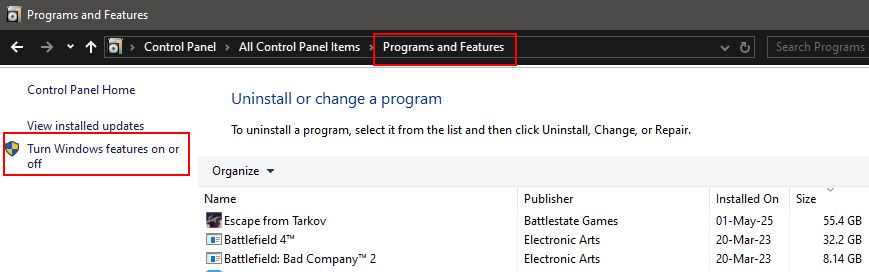
Open Control Panel - Programs and Features, and click “Turn windows features on or off”.
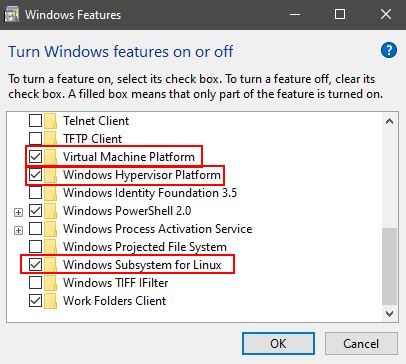
Control Panel - Programs and Features - Turn Windows features on or off
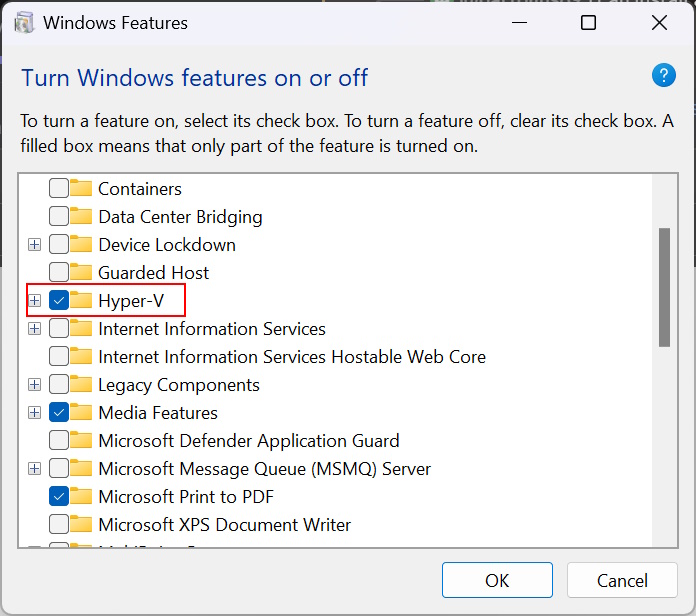
Ensure you have “Virtual Machine Platform” , “Windows Hypervisor Platform” and“Windows Subsystem for Linux” are enabled.
Ensure these features are enabled.For Windows 11 Windows Hypervisor Platform may just be called Hyper-V.
Restart your PC.
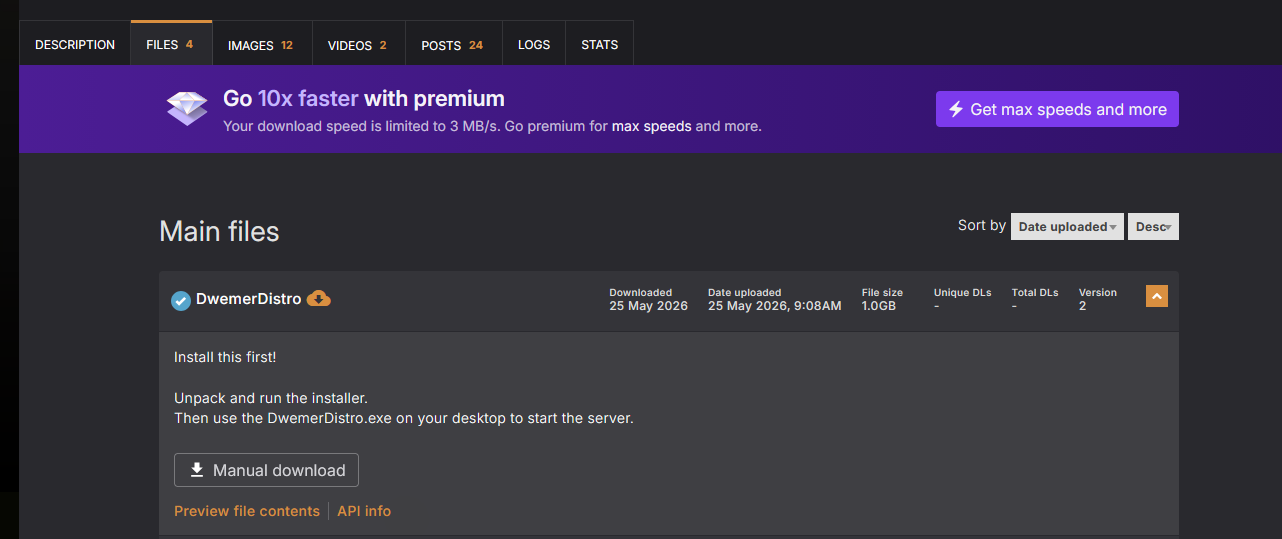
Download the DwemerDistro from the mod page
Extract the .exe it anywhere on your PC
Run the DwemerDistroInstaller.exe
Simply follow the installation guide and wait for it to finish.
Leave “Create desktop shortcut” option enabled, and click finish once it is complete.
Run the DwemerDistro.exe shortcut on your desktop.
Why does Windows Defender say it's a virus? Are you trying to hack me!
No we are not! Most anti virus programs automatically untrust and false flag less popular .exe's. We have ALL the source code to the launcher on our Github. If you know Python you can compile it yourself!
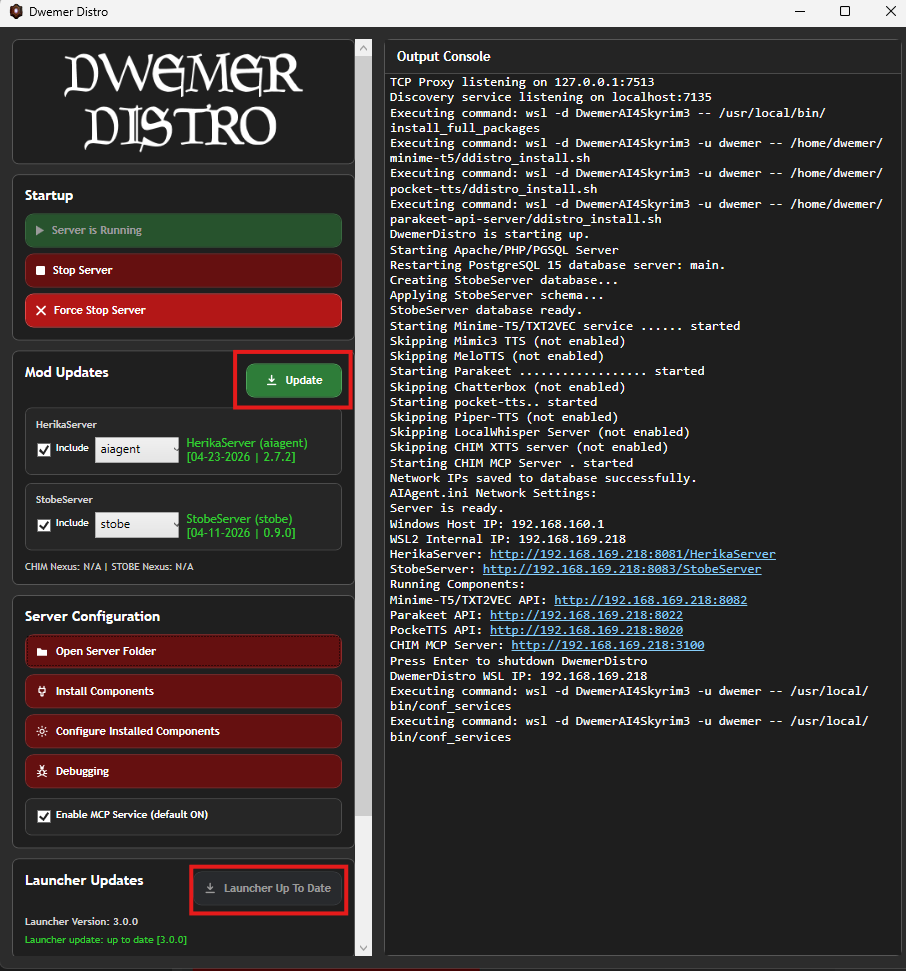
Click Update Launcher first!
Wait for it to restart, then click Update.
Make sure the Launcher and Mod is fully updated.
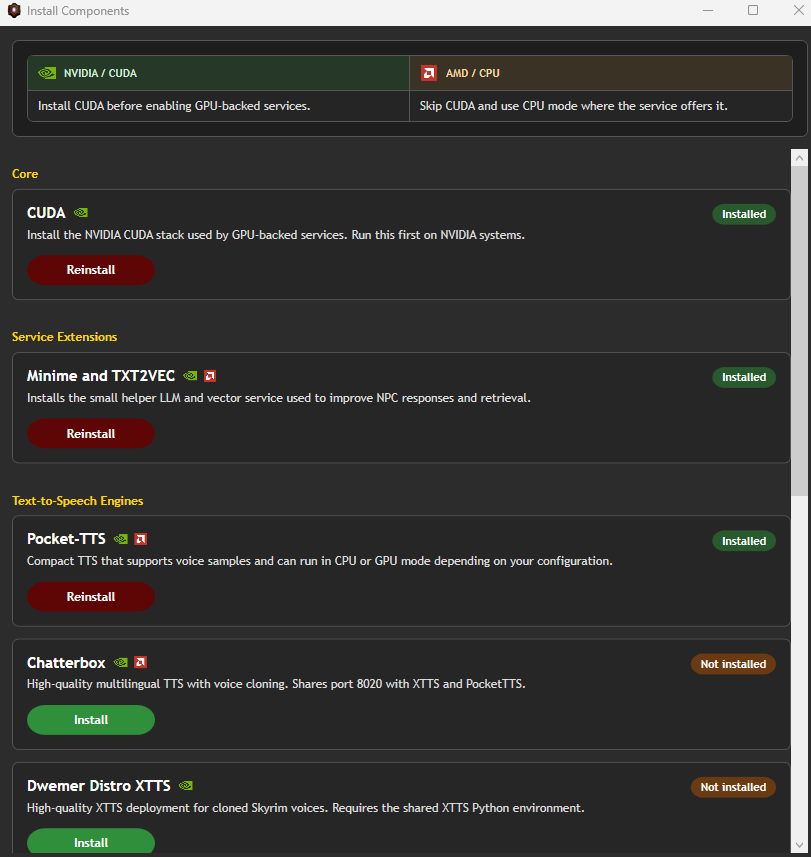
Under Install Components install any you wish to use.
The Components Menu
Component Installation Guide:
If you have a powerful NVIDIA GPU install CUDA, Minime&TXT2VEC (GPU) & Chatterbox
If you have a less powerful NVIDIA GPU install CUDA, Minime&TXT2VEC (GPU) & Pocket-TTS (GPU)
If you have an AMD GPU, download Minime&TXT2VEC (CPU) & Pocket-TTS (CPU)
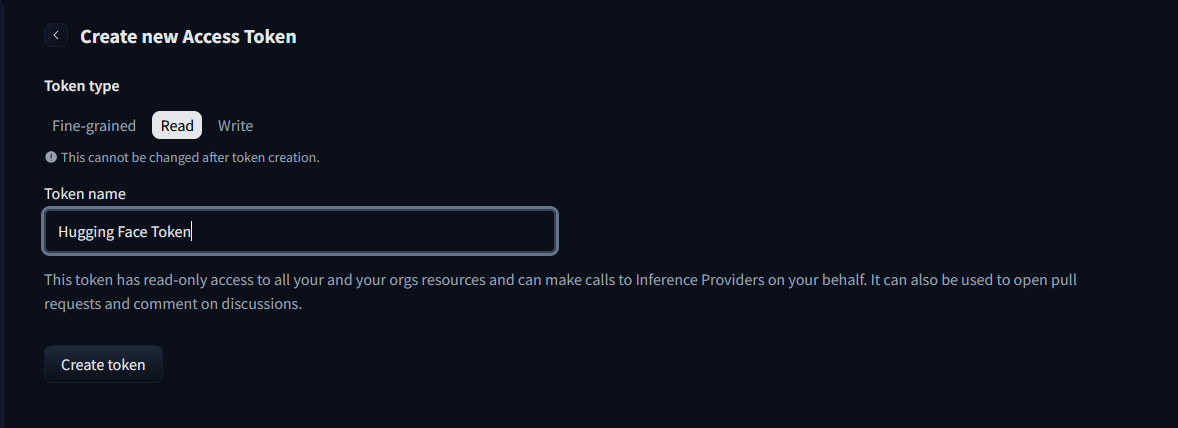
For Pocket TTS and Chatterbox you must setup a hugging face account and accept the terms of service for it here:
Ensure that DwemerDistro is running and start RE_KENSHI (DO NOT START REGULAR KENSHI).
Ensure STOBE is enabled in the mod manager.
Once in game (no newgame required)and follow the popup message.
Try talking to an NPC using the chat hotkey. You should get a response.
🎉Well done, you have the mod installed! 🎉
READ ME
For updating the mod you usually only need to just click UPDATE in the DwemerDistro.exe and install the latest AIAgent mod from nexus. You do not need to reinstall the DwemerDistro unless we explicitly say so.