¶ Whisper
Whisper is OpenAI's default online STT service. It's cheap and fast.
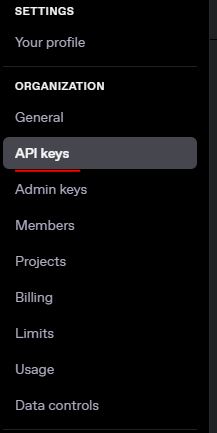
Simply just setup an account with OpenAI, pay for credits in your account, and create an API key.
Link Here

¶ LocalWhisper
LocalWhisper is a locally ran version of OpenAI's whisper. It's not as powerful (more likely to translate your speech wrong) but its free!
It is very easy to install, in the Dwemer Distro just make sure to install CUDA, then LocalWhisper.
You do have quite a few options for models to choose from:
config-Small-GPU-EN.yaml
A small English model (1-2GB VRAM)
config-Tiny-GPU-EN.yaml
A small English model (under 1GB VRAM)
config-Small-GPU-ES.yaml
A small Spanish model (under 1GB VRAM)
config-Small-CPU-EN.yaml
A small model that runs on your CPU (Slower but no VRAM requirements)
config-numbat-GPU-Skyrim-EN.yaml
A small English model trained for Skyrim words (1-2GB VRAM) GitHub Source
¶ Parakeet STT
Another locally ran STT service. Is slightly more efficent than Local Whisper and is fast.
It is very easy to install, in the Dwemer Distro just make sure to install CUDA, then Parakeet.
¶ DeepGram
Deepgram is another online STT service that is fast and cheap.
One of the big benefits of Deepgram is they currently provided $200 in API usage for free for every new account. $200 will last you for a life time of STT transcriptions!
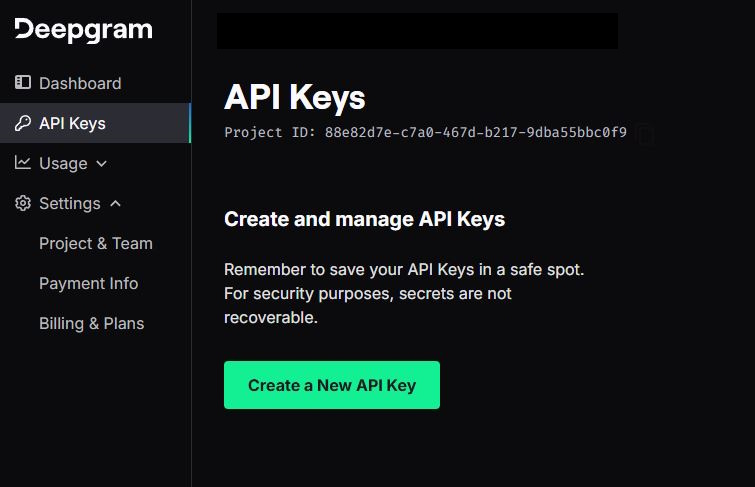
Simply create an account here, create and API key, and place it into the CHIM server.
¶ Deepgram Web-Socket (Beta)
Web-sockets are direct connections to online services that are very very fast.
We have developed a web-socket connector that links directly to Deepgram. This is roughly 2x faster compared to any other STT method.
Using this can lead to close to realtime conversations, if you use a fast LLM and TTS service as well.
To use it you simply must:
- Setup a Deepgram account and create an API key (Create Account)
- Download the WebsocketSTT optional file from the CHIM download page and install it with your mod manager of choice.
- Open the mod folder, go to SKSE/Plugins and place your API to Deepgram in the file. (E.G. API_KEY=123456894584375)
- Ingame in the CHIM MCM menu under Sound, enabled “Use WebSocket STT”
- Use push to talk to speak.
Current limitations:
- Does not work with Open Mic mode.
- No configuration options.
- Only works with Deepgram

Chrome Free Speech-to-Text
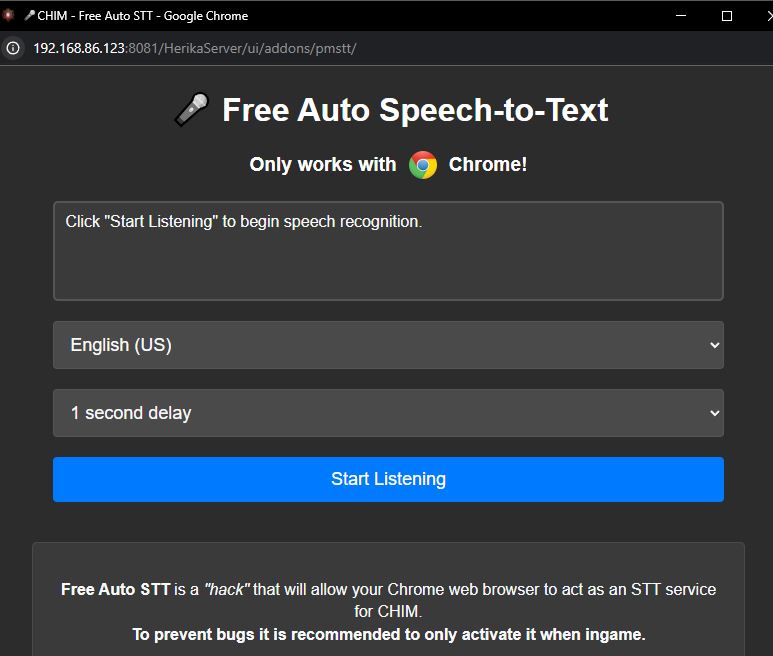
We have “hacked” a free speech-to-text service by hijacking the Chrome inbuilt STT tools with CHIM.
What it does is bypass the ingame STT service. Instead it listens and injects your voice prompts automatically into the database from the web page.
There are 3 reasons you may want to use this:
- It's Free
- It's “auto talk” meaning no push-to-talk key is required
- It allows you to actually talk to the AI NPCs outside from the Skyrim game client.
It only works with Chrome and is a bit buggy so please keep that in mind.
You can find it in the CHIM server under Configuration - Chrome Free Speech-to-Text.
All you need to do is click the button for it to work! It bypasses the ingame MCM hotkey to talk so avoid using that.
One of our discord users, PhospheneOverdrive, wrote an autohotkey script to make it semi-push-to-talk.
https://pastebin.com/AJJsWhA7
We recommend you watch this video to learn more: