¶ Configuration Management
CHIM has 5 different Menus for setting up the mod:
- API Keys - Hub for saving API keys to be used by the other menus.
- Global Settings - Global roleplaying settings
- LLM Connectors - Setup LLM and finetune settings
- Profiles - Create profile settings and rules to be applied to NPCs.
- CHIM NPCs - Individual NPC management.
¶ API Keys
The API key menu is rather simple and boring. It just allows you to paste in any generated API keys to be used as appropriate.
Keys saved here will be used globally through CHIM.
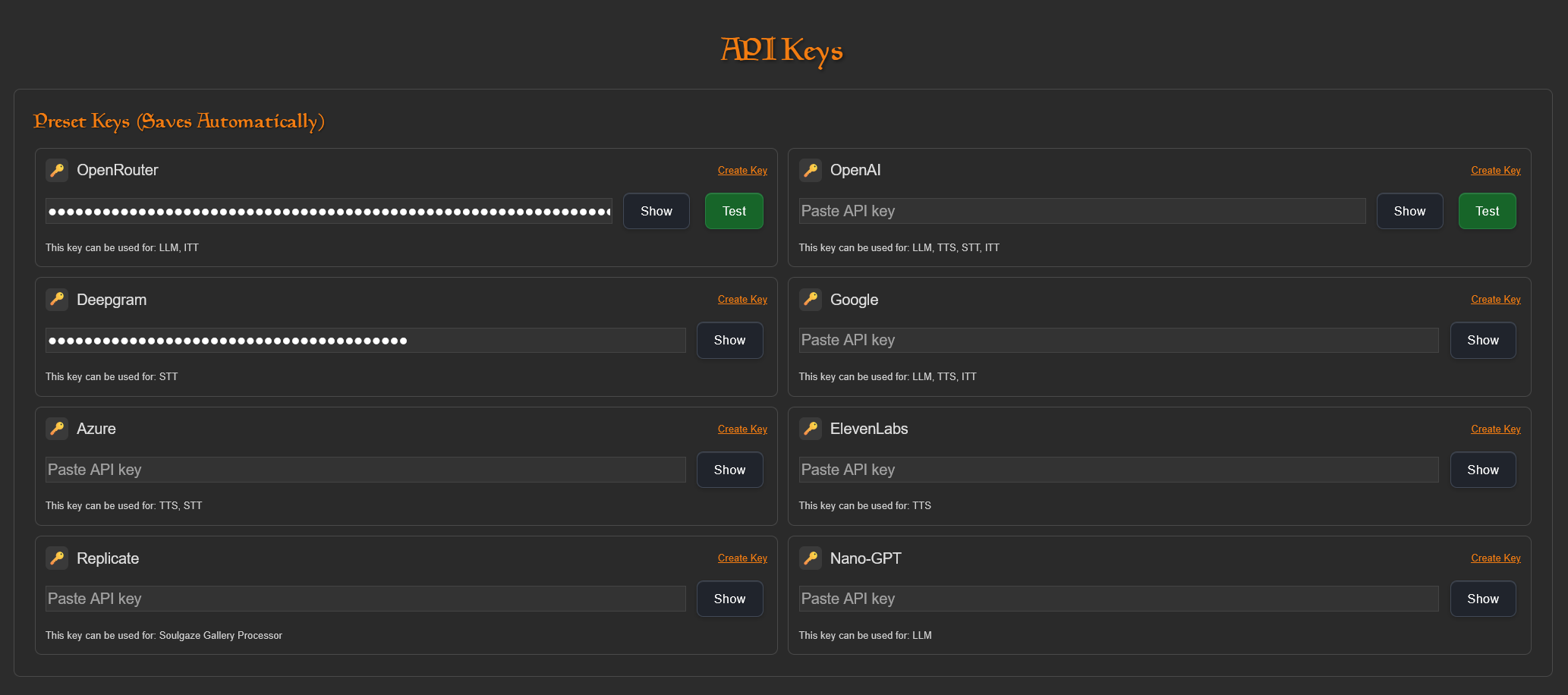
The API key menu is rather simple and boring. It just allows you to paste in any generated API keys to be used as appropriate.
Keys saved here will be used globally through CHIM.
¶ Global Settings
Global Settings control configuration that will be applied to all CHIM interactions. They can be split up into 4 categories.
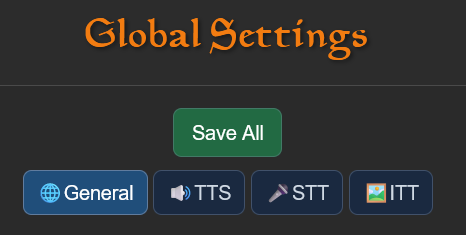
General
These are basic roleplaying settings, memory system, narrator prefrences and prompt control.
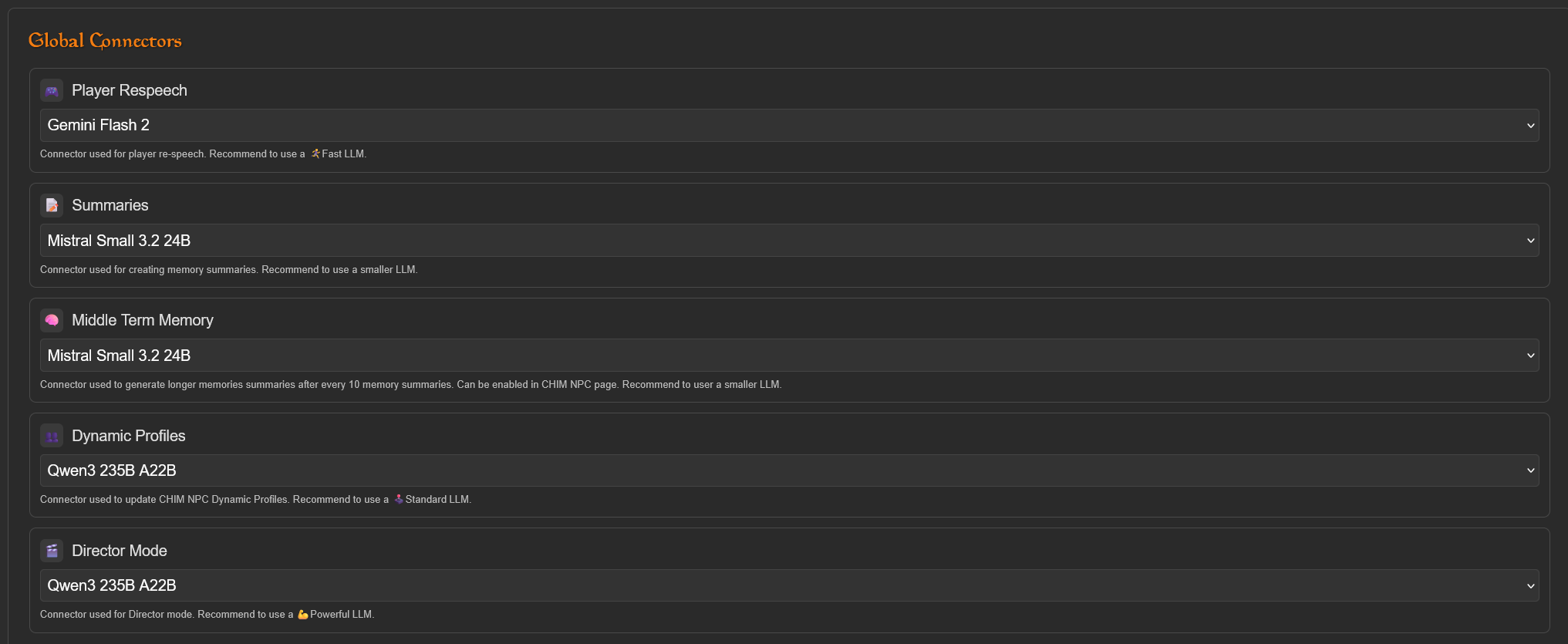
Core Settings:
- Player Name - Your character's name used in AI prompts
- Prompt Head - System-level instructions prepended to all AI requests
Memory System:
- Memory Embedding Enabled - Toggle vector-based memory retrieval
- TxtAI URL - Endpoint for memory embedding service
- Use Text2Vec - Alternative embedding method
- Memory Time Delay - How long before memories are indexed
- Memory Context Size - How many memories to retrieve
- Auto Create Summaries - Automatically generate memory summaries
- Auto Create Summary Interval - Frequency of summary generation
- Memory Bias A/B - Fine-tune memory retrieval relevance
Narrator Preferences:
- Configure narrator behavior globally (detailed settings in Narrator Management)
Background LLM Connectors:
- Director Connector - For Rolemaster/scene orchestration
- Medium-Term Connector - For memory summaries and background life
- Relationship LLM Connector - For evaluating relationship changes
- Diary Connector - For generating diary entries
- Formatter Connector - For parsing JSON responses (use a small, fast model)
Translation:
- Translation Function - DeepL integration for multi-language support
TTS
Here you can configure which text-to-speech service AI NPCs will use.
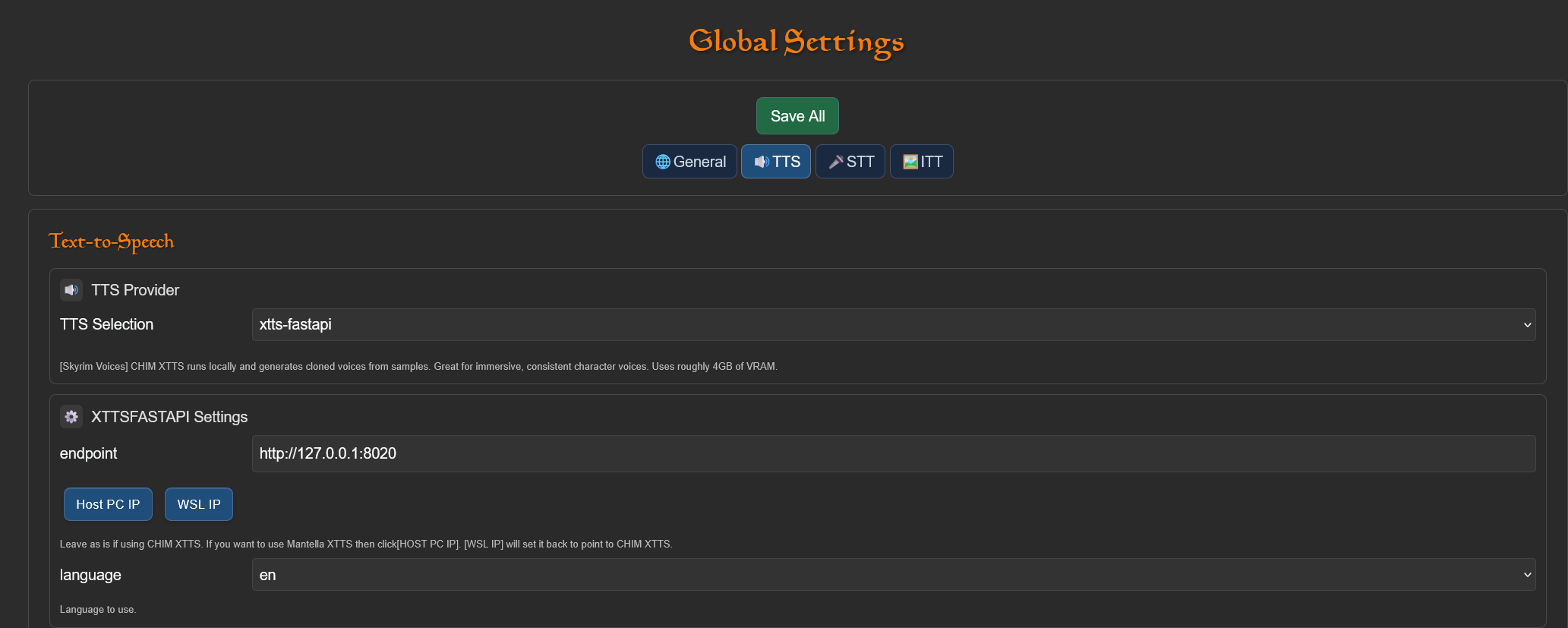
You also can configure and enable Player TTS. This allows your player character to speak whenever you type/talk.

Available TTS Services:
- MeloTTS, CHIM XTTS (xtts-fastapi), Mimic3, xVASynth, Azure, ElevenLabs, OpenAI TTS, KoboldCPP, Zonos, Piper-TTS, Kokoro, Deepgram, Cartesia, Inworld
Per-Service Settings (varies by provider):
- Endpoint URL
- Voice ID / Speaker
- Language selection
- Speed/Rate control
- Audio format settings
Player TTS:
- Enable your player character to speak with an AI voice when you type
- Configure separate voice ID for the player
- Uses the same TTS service as NPCs
TTS Testing:
- Quick test button to preview any TTS service before using ingame
- Test with custom text or default sample
- Hear the voice directly in the browser
STT
Here you can configure which speech-to-text service you will use to translate your voice.
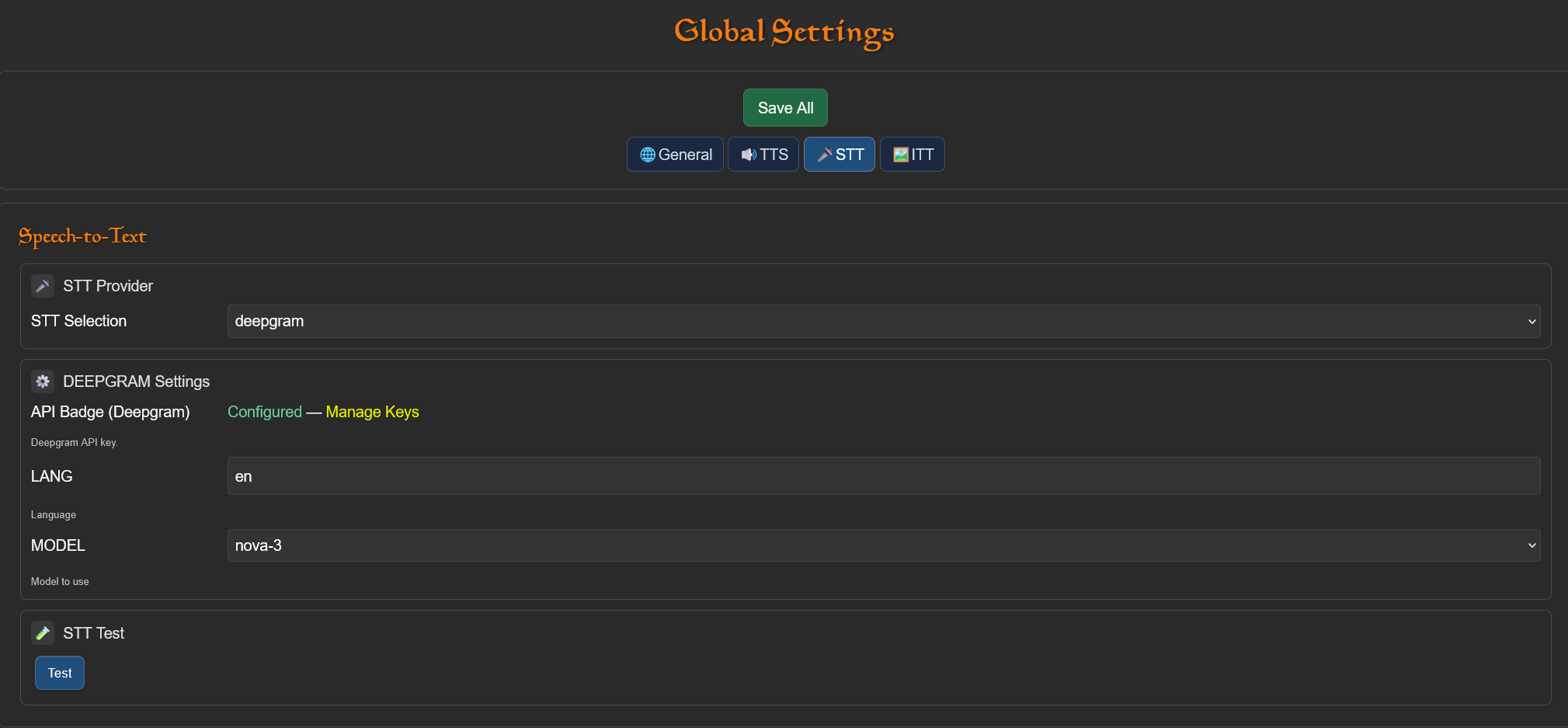
Available STT Services:
- None (disabled), Whisper (remote), Local Whisper, Azure, Deepgram, Parakeet
Per-Service Settings (varies by provider):
- Endpoint URL
- API key configuration
- Language/model selection
- Audio format settings
Testing:
- Test button to verify STT service is working correctly
ITT
Here you can configure which image-to-text service you will use to for Soulgaze. This allows AI NPCs to visually describe scenes ingame.
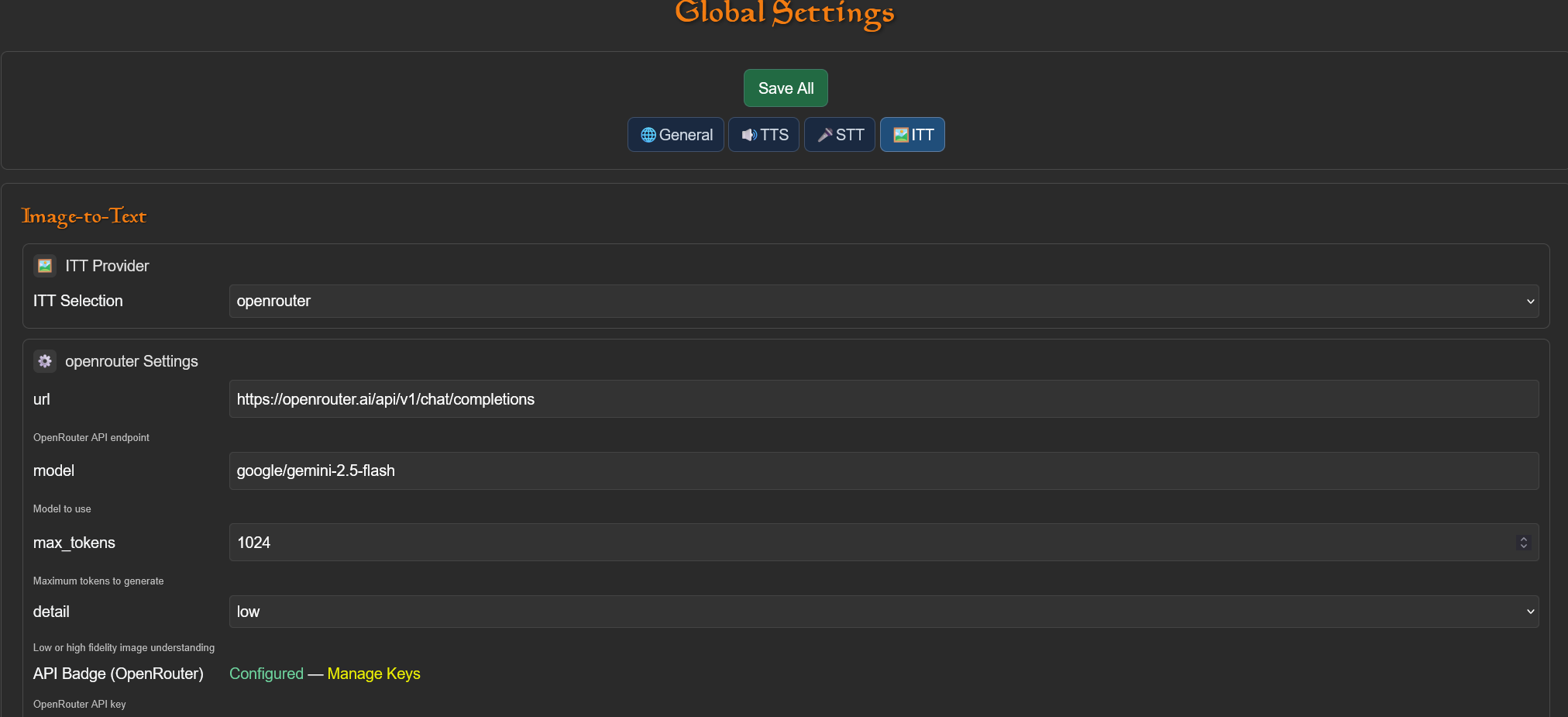
Available ITT Services:
- OpenAI (GPT-4 Vision), Google (Gemini Vision), OpenRouter
Settings:
- Service selection
- Endpoint configuration
- Model selection
- Custom prompt for image analysis
¶ LLM Connectors
LLM connectors allows you to predefine and finetune specific LLM models to be used through CHIM. CHIM comes pre-installed with a recommended set of LLM models from OpenRouter.
CHIM is designed to be connected to these 4 LLM services:
- OpenRouter
- ChatGPT
- NanoGPT
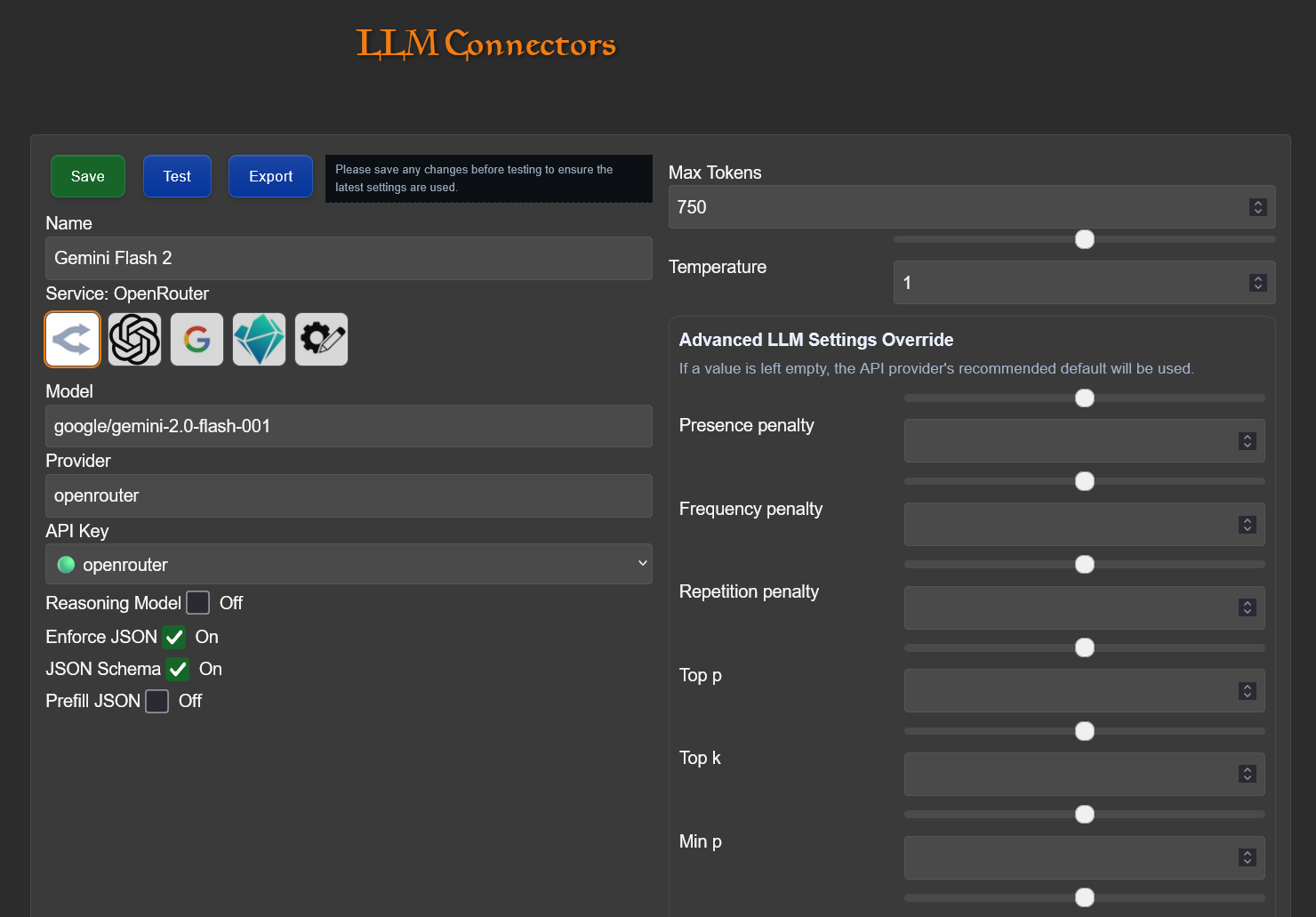
Also you can see the option to test, as well as export an LLM Connector profile.
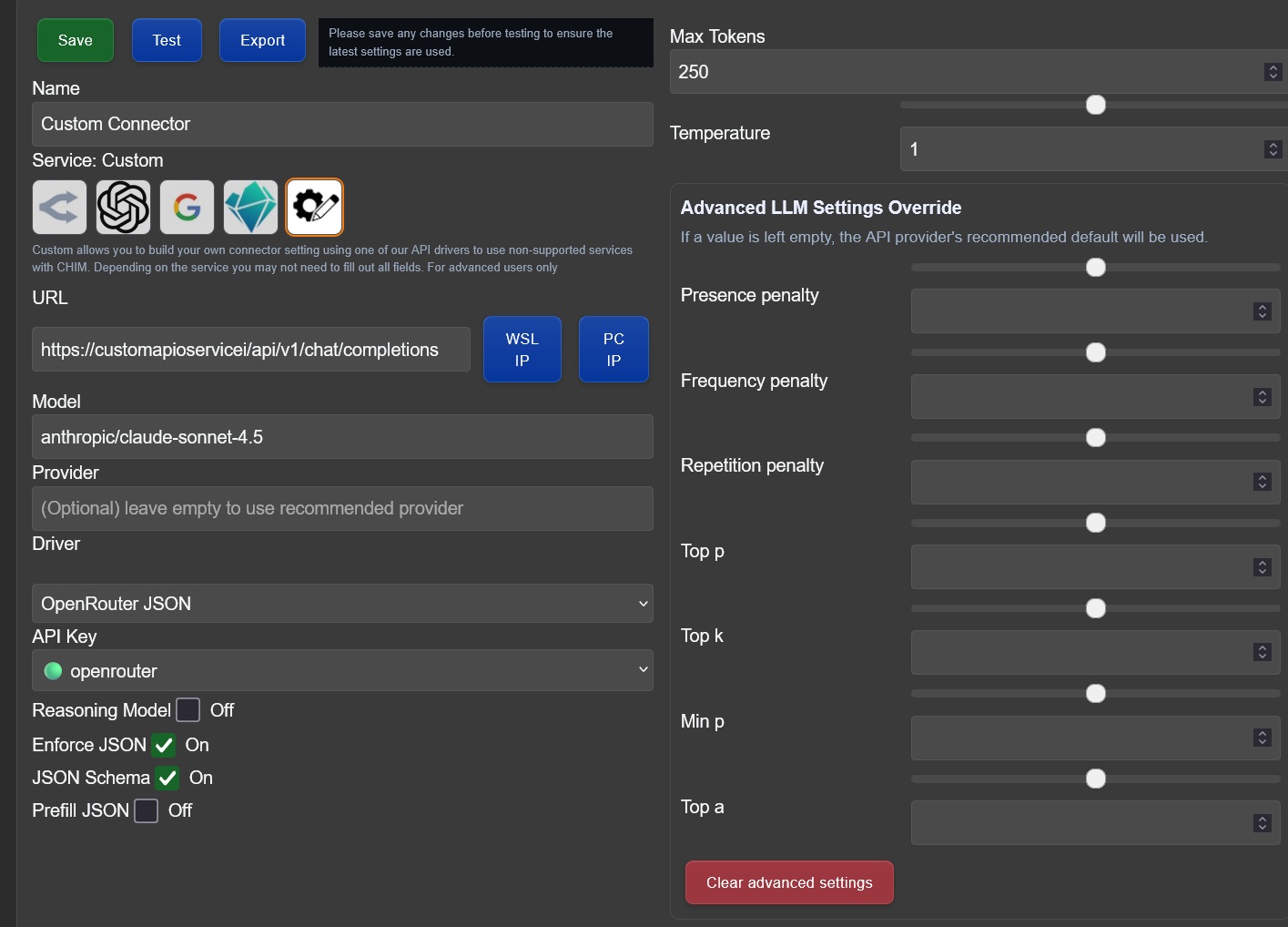
Custom Connectors (Advanced User)
If you know what you are doing you can preset you own custom connectors. There are many different AI service providers out there that are compatible with CHIM.
The main issue for compatibility is if their API supports either the OpenAI or OpenRouter standard. Most are leaning to these templates.
¶ Profiles
Profiles are how we “group” large amount of AI NPCs to use the same settings. We provide some rather powerful settings that allows you to easily group specific types of NPCs to use specific profiles.
Profiles are split into 3 setting groups.
Profile Core
Can configure which Slot (used for ingame hotswapping) and prompts.
You can also set if a profile will be used by default for all new NPCs (only 1 can be default at a time).
Profile Prompt allows you to insert a special roleplaying prompt that only NPCs in this profile will know.

Settings:
- Name - Display name for the profile
- Slot (1-4) - Quick-access slot for ingame switching
- Default NPC - Make this the default profile for new NPCs (only 1 can be default)
- Default Narrator - Use this profile for The Narrator (only 1 can be default)
- Dynamic Profile - Allow AI systems to evolve NPC bios based on gameplay
- Middle-Term Memory - Save a list of recent events after memory summaries
- Auto Diary - Automatically generate diary entries during sleep/wait
- Auto Diary Wait - Control whether wait events trigger diary entries
- Profile Prompt - Custom system instructions for NPCs in this profile
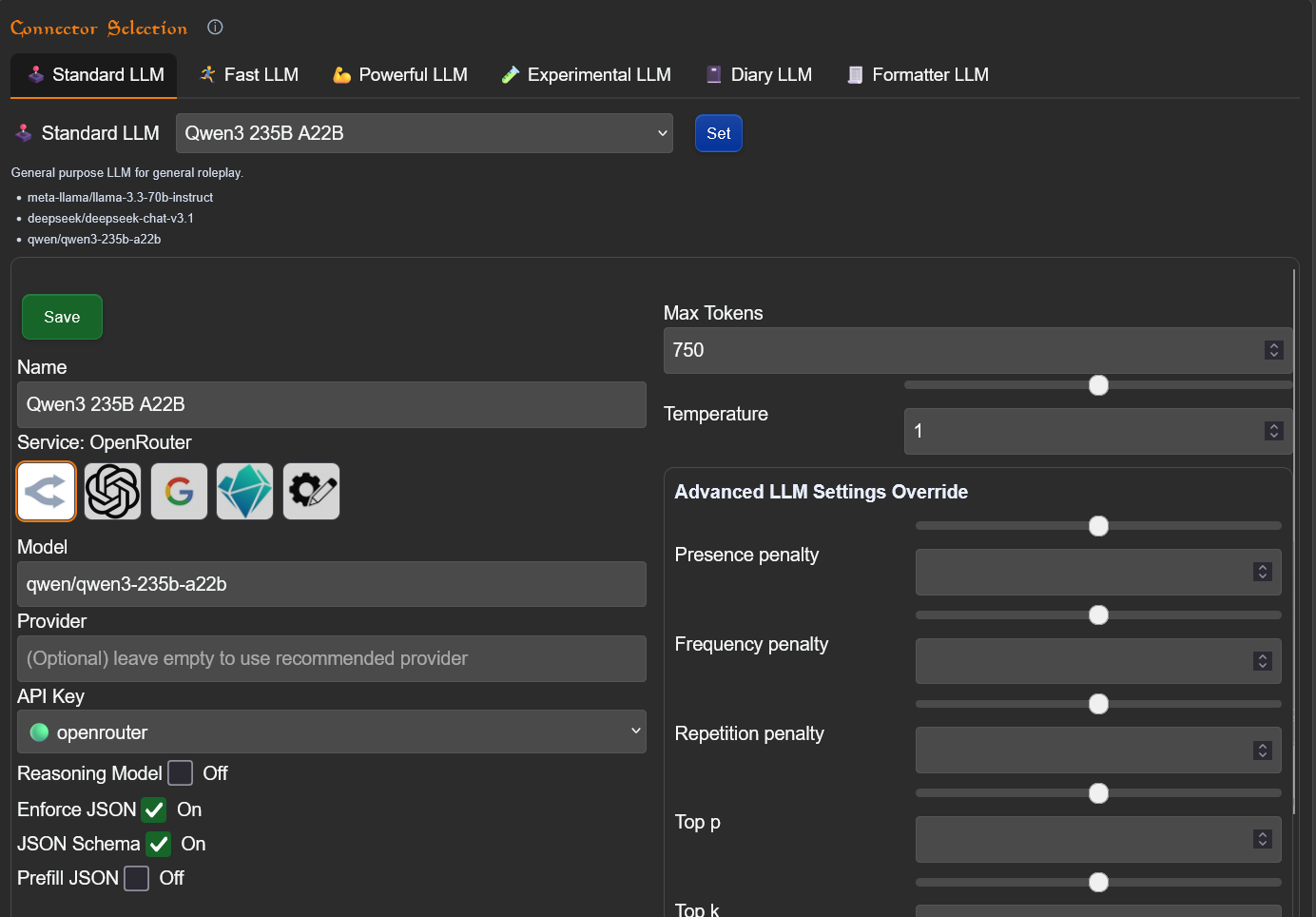
Profile LLM Connectors
You can set multiple different connectors per profile. The first 4 are the main connectors for AI roleplay, we have categorized them into specific categorizes.
🕹️Standard - For all round and efficent LLM models.
🏃➡️Fast - For faster and usally smaller LLM models. Good for combat.
💪Powerful - For more intelligent and smart LLM models. Good for deep conversation.
🧪Experimental - More wacky and unhinged LLMs.
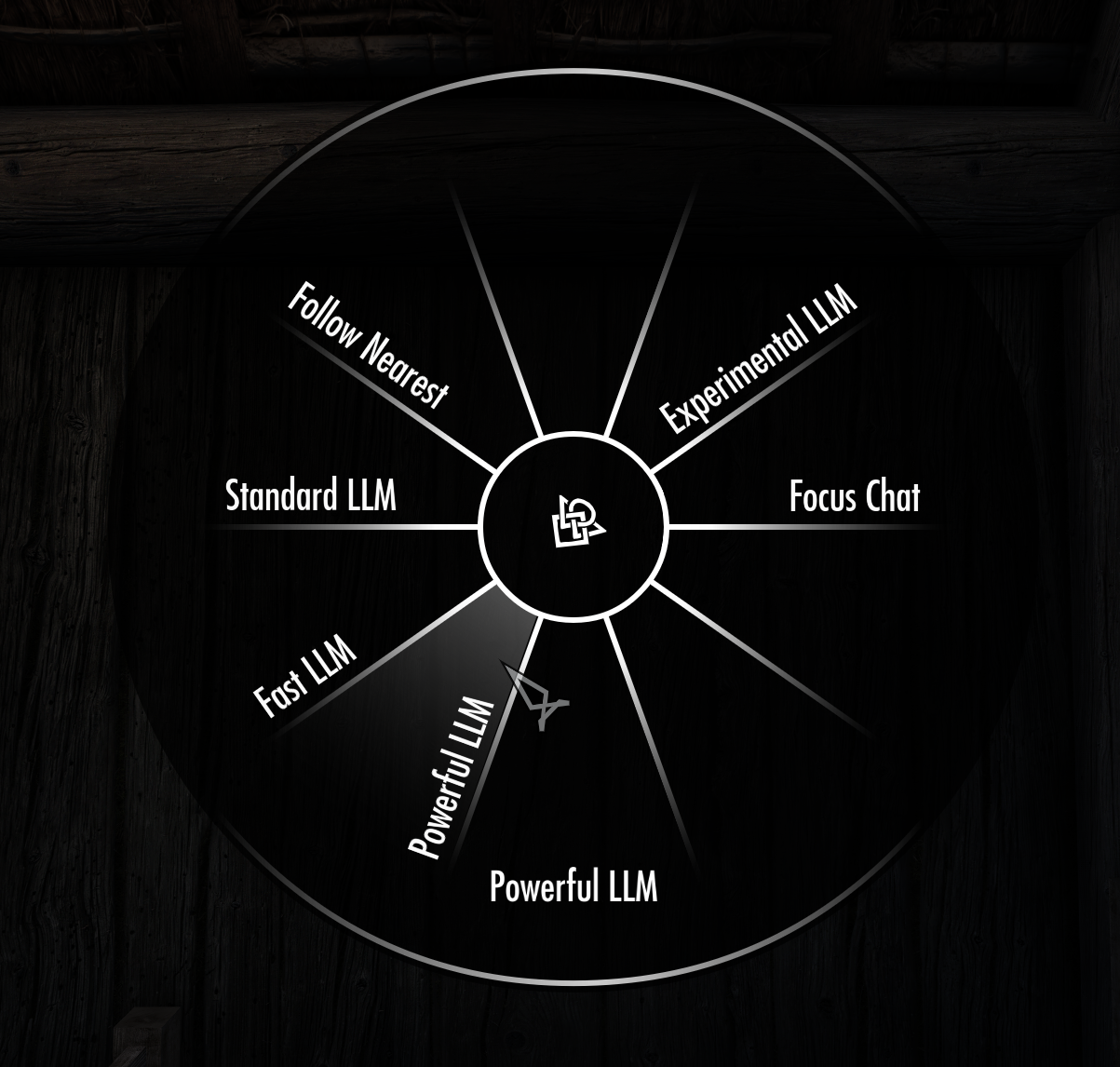
Ingame you can switch which of these 4 profiles ALL AI NPCs will use.
Q: Can I set a specific AI NPC to use a specific LLM model instead of globally changing them?
A: No. This is a deliberate decision to avoid complication of tracking models amongst 1000+ NPCs ingame. LLM models can only ever be configured globally.
If you want a specific NPC to always use a specific LLM you can:
- Create a special profile for them.
- Set all the LLMs for all 4 connectors to be the exact same. With this no matter what mode you use this NPC will always use a specific model.
Q: Do I need to follow the Standard/Fast/Powerful/Experimental categories for my LLM selections?
A: No! You can put whatever LLMs you want in these categorizes. These are just our recommendations.
The other 2 LLM connectors for profiles are:
📔Diary - Used for writing diaries.
📃Formatter - Helps parse JSON output for background tasks. Just use a very small LLM.
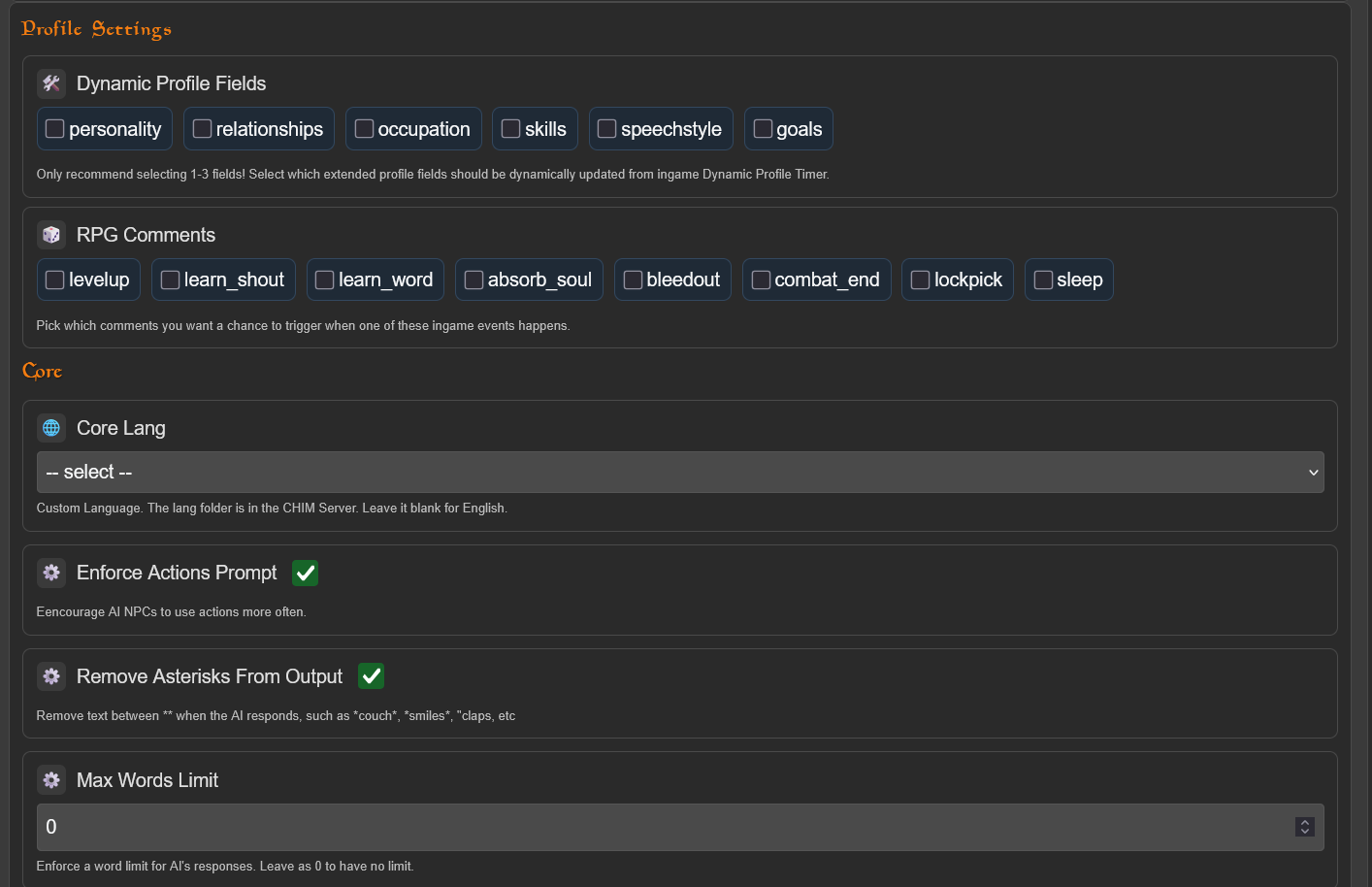
Profile Settings
These are general roleplaying settings for AI NPCs within this profile.
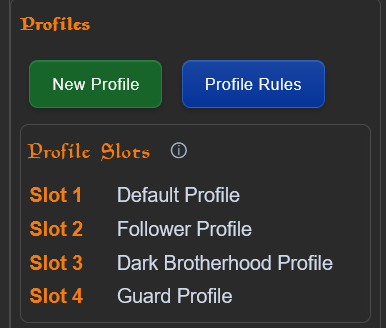
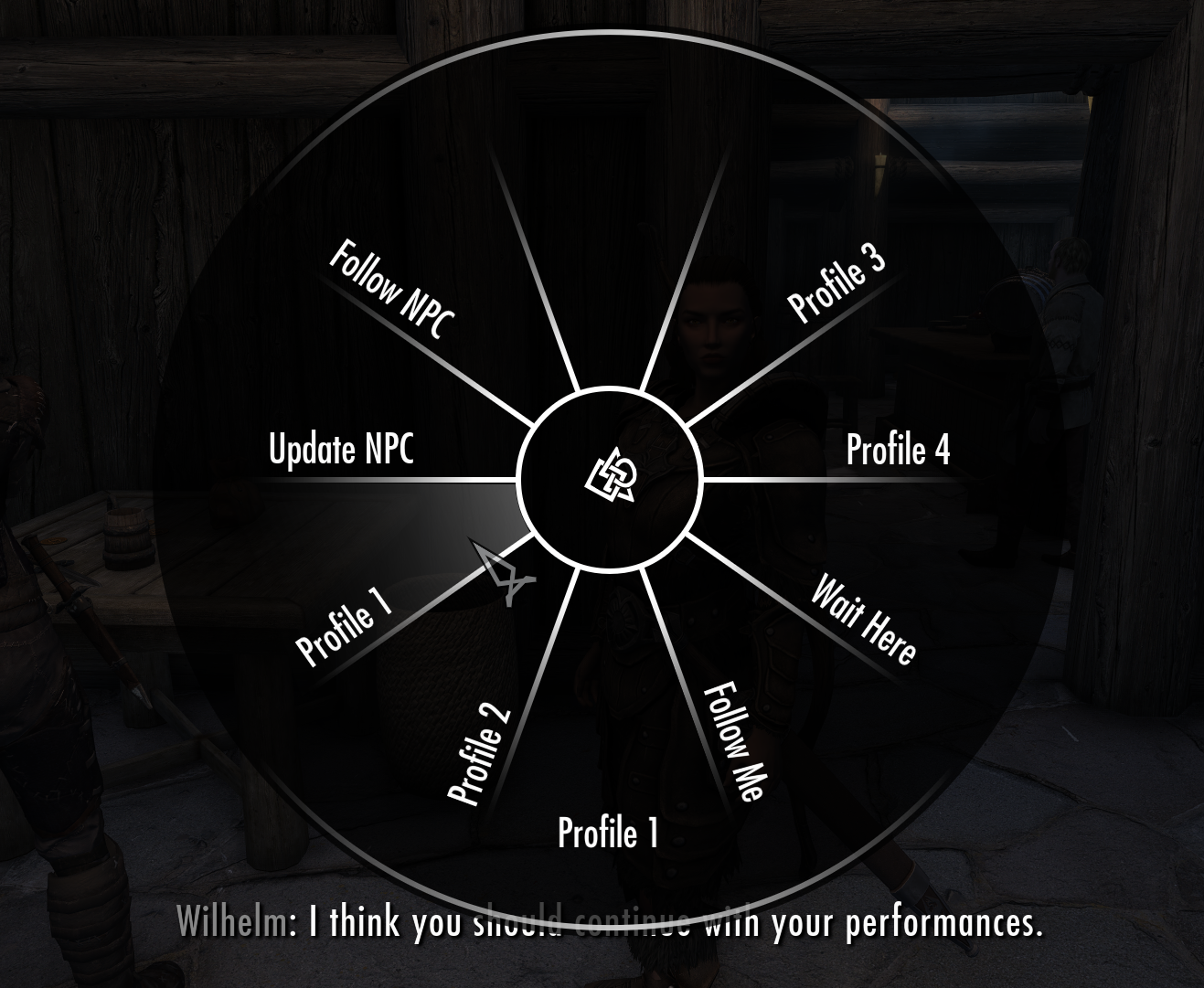
Profile Slots
You can select up to 4 profiles to be in quickslot slots. These allow you to change AI NPCs profiles ingame.
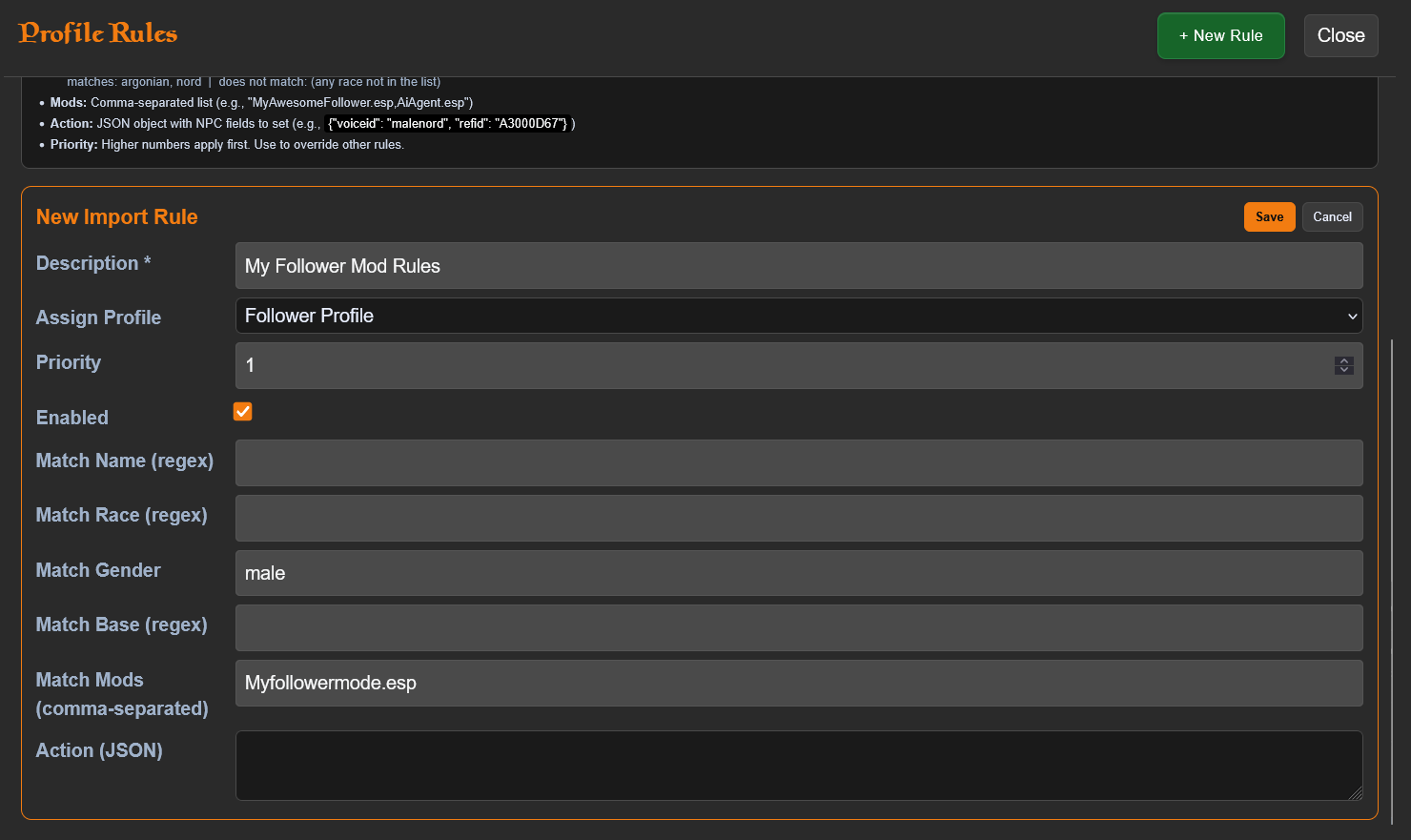
Profile Rules
Profiles rules are advanced settings that allow you set special rules for applying NPC profiles to new NPCs. These will override the default NPC profile if the NPC matches the rule.
LLM Randomizer
LLM Randomizer is a useful toggle that makes it so the LLM's within a profile will be switched at random among all NPCs using that profile.
It can be useful to help “spice up” AI roleplay as different models will role-play differently.
Using this can help deal with repetitiveness that is common amongst AI models.
Its recommend to ignore the standard/fast/powerful/experimental dynamic and just pick 4 models that are similar.
Example:
- Herika is on the randomizer
- Randomizer picks the LLM in the Standard profile
- Herika will speak 2-3 events using the Standard LLM before switching
- Herika switches to Powerful LLM
- Repeat

¶ CHIM NPCs
This menu allows you to configure each AI NPC within CHIM. There is quite a lot you can do here…
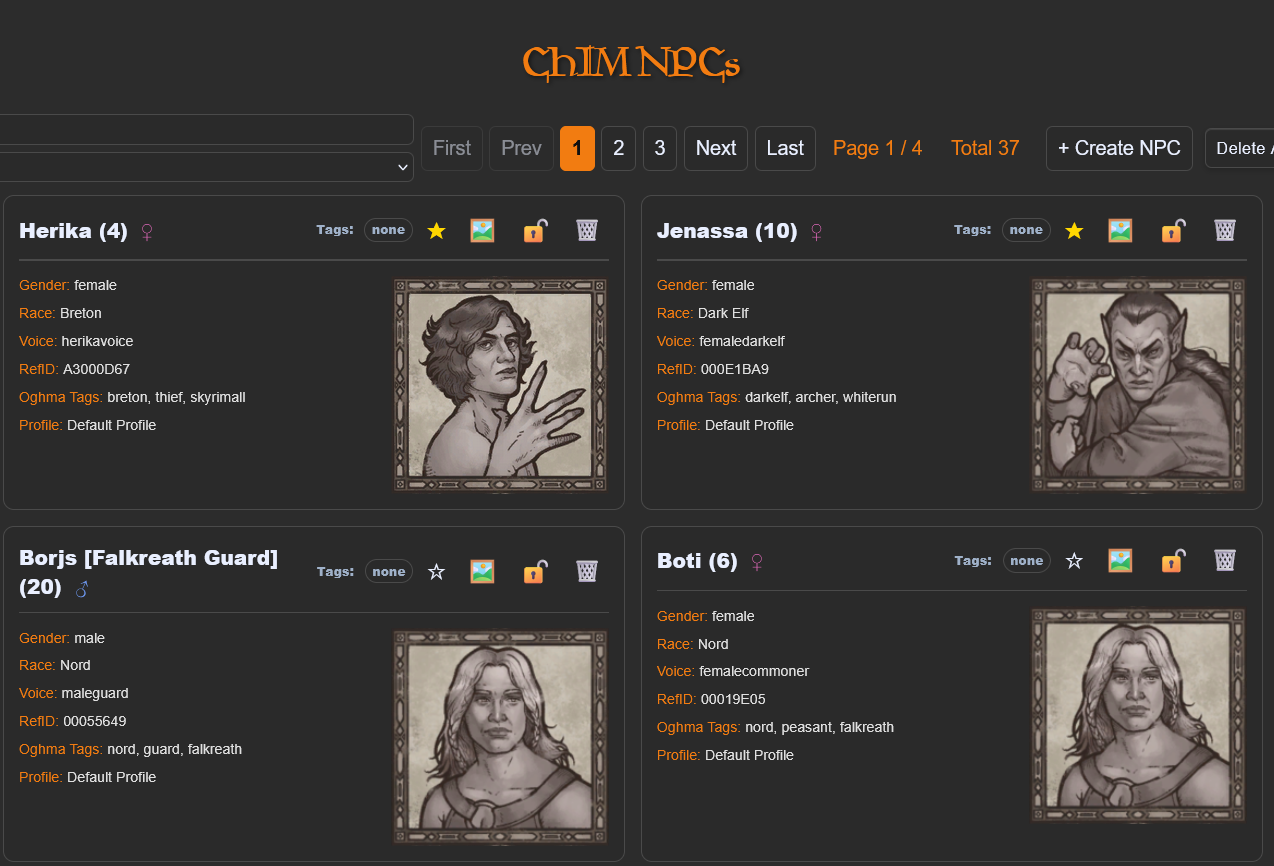
⭐- Favorite an NPC
🔒- Prevent an NPC from being deleted.
🗑️ - Delete an NPC
🖼️- Change their profile picture from the Soulgaze Gallery
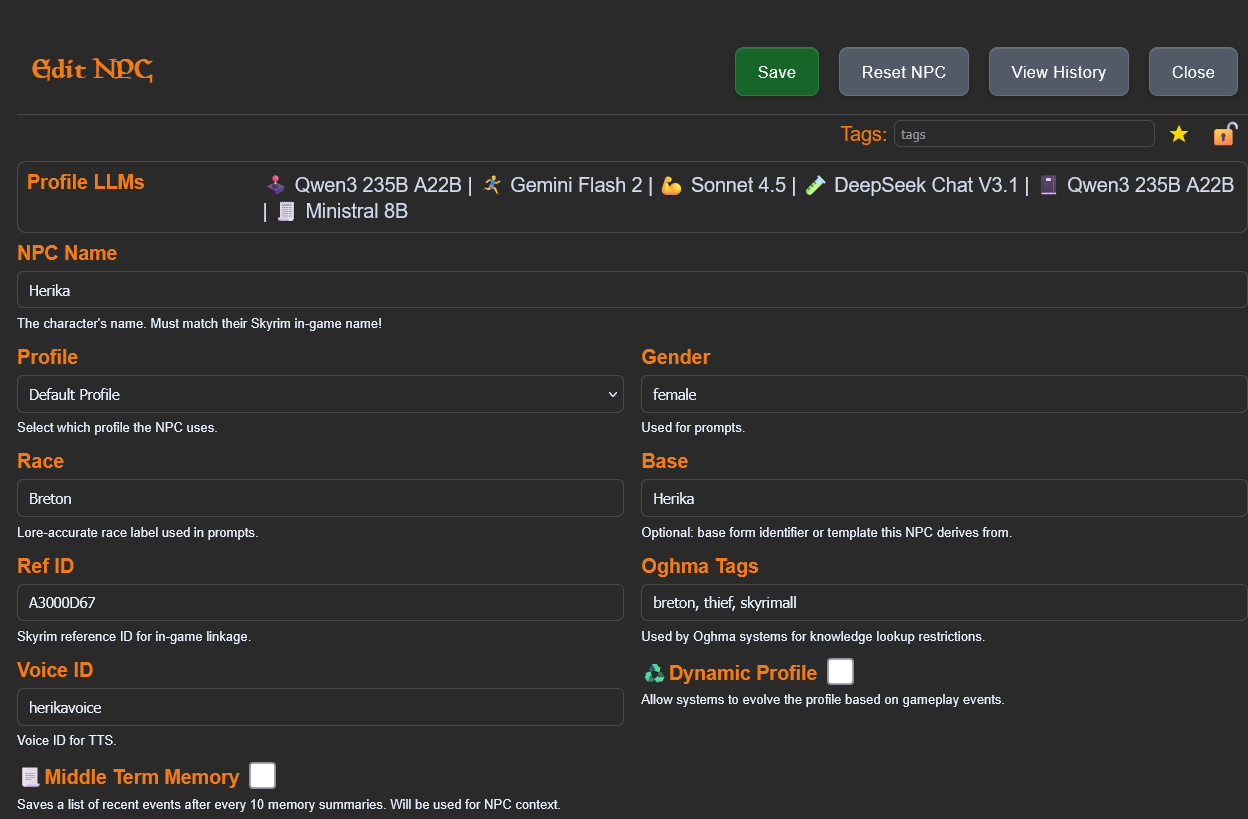
NPC Card Features:
- ⭐ Favorite - Pin important NPCs to the top
- 🔒 Lock - Prevent NPC from being deleted during DragonBreaks
- 🗑️ Delete - Remove NPC from database
- 🖼️ Portrait - Set profile picture from Soulgaze Gallery
NPC Modal Sections:
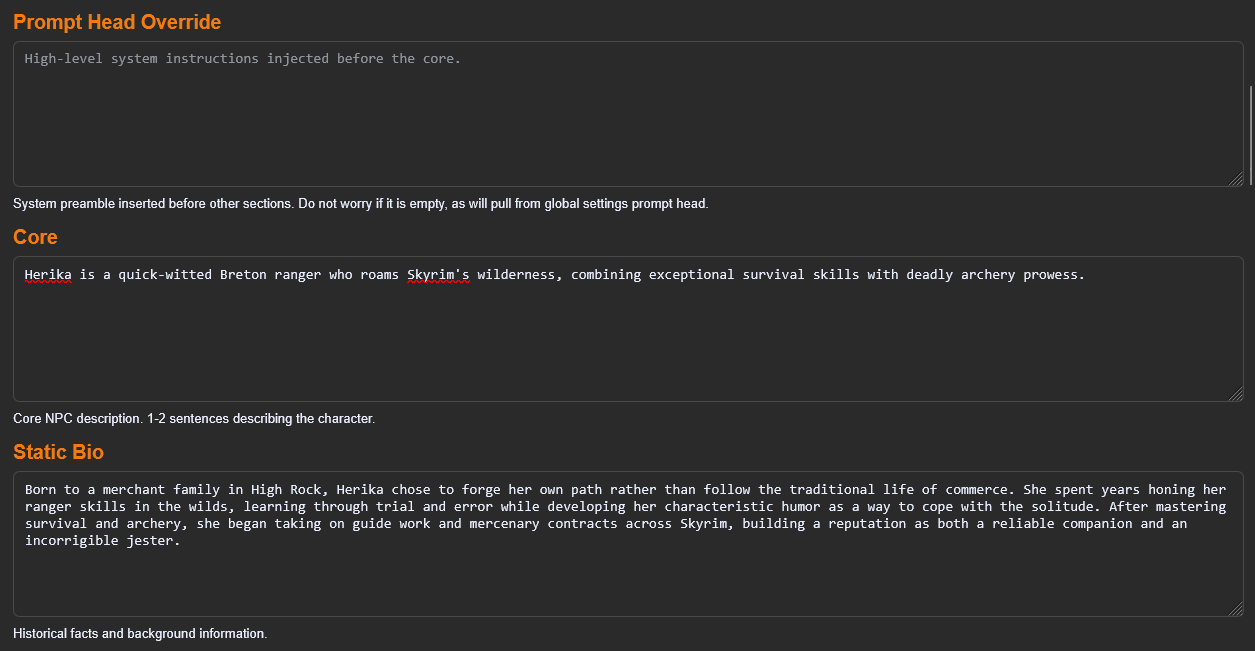
- Biography - Core, Background, Personality, Speech Style, Goals, Occupation, Skills
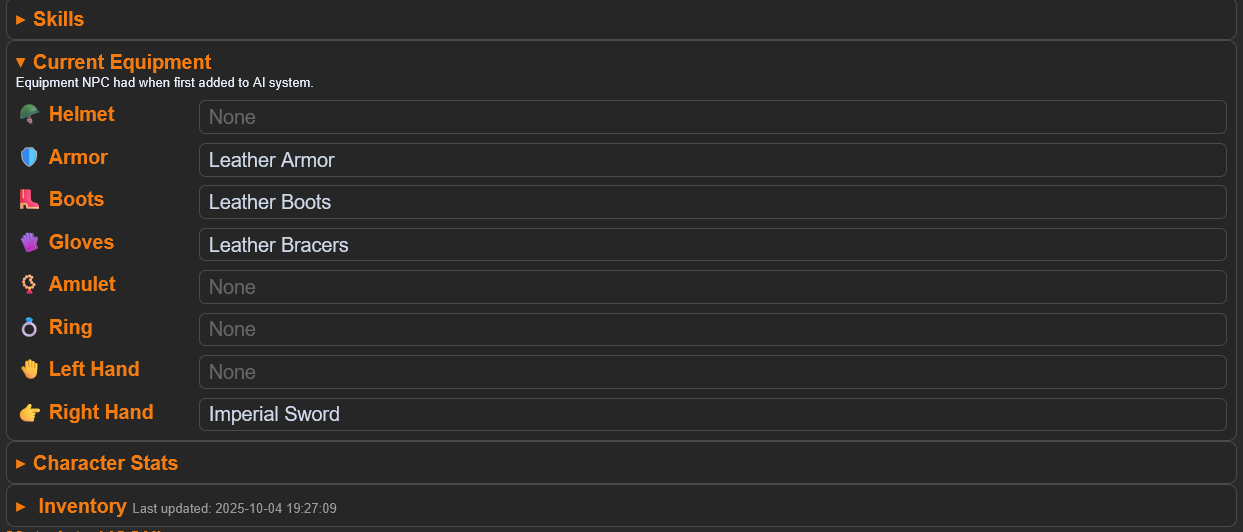
- Equipment & Inventory - Synced from game in real-time
- Stats - Health, Magicka, Stamina, Level, etc.
- Relationships - View and edit affinity scores with other characters
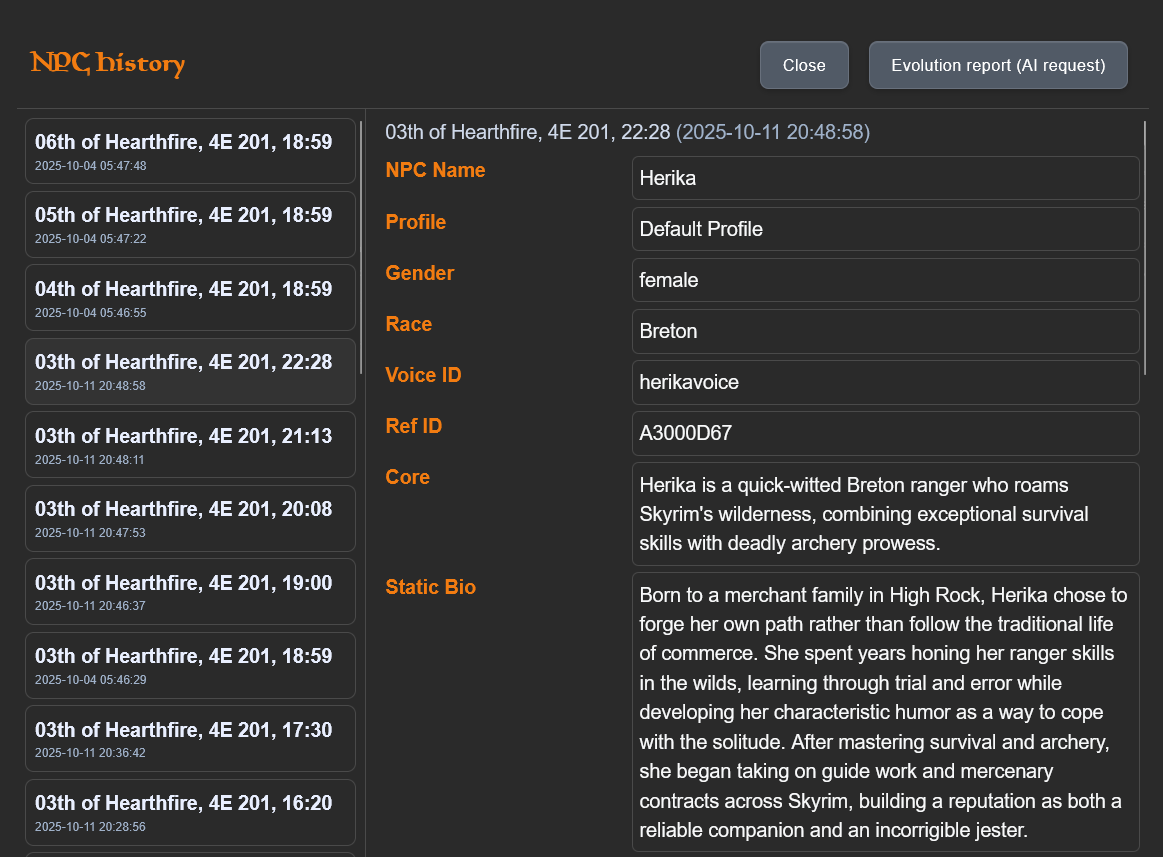
- History - Track changes made to the profile over time
Per-NPC Overrides:
- Profile assignment
- Voice ID override
- Dynamic profile toggle
- Middle-term memory toggle
- Auto diary toggle
- Background life enable
- GPS tracking enable
- Oghma knowledge tags
Filters:
- Search by name, race, voice, RefID, or tags
- Filter by: Favorites, Dynamic Profile, Middle-Term, Salutation, Background Life, GPS
Bulk Actions:
- Build Relationships - AI-analyze relationships for multiple NPCs
¶ Description Manager
We save a lot of information about NPCs. Their inventory, equipment, magic, stats, etc…
However we only save their name and baseid. Unless you use Soulgaze the AI will have no real idea what this stuff looks like!
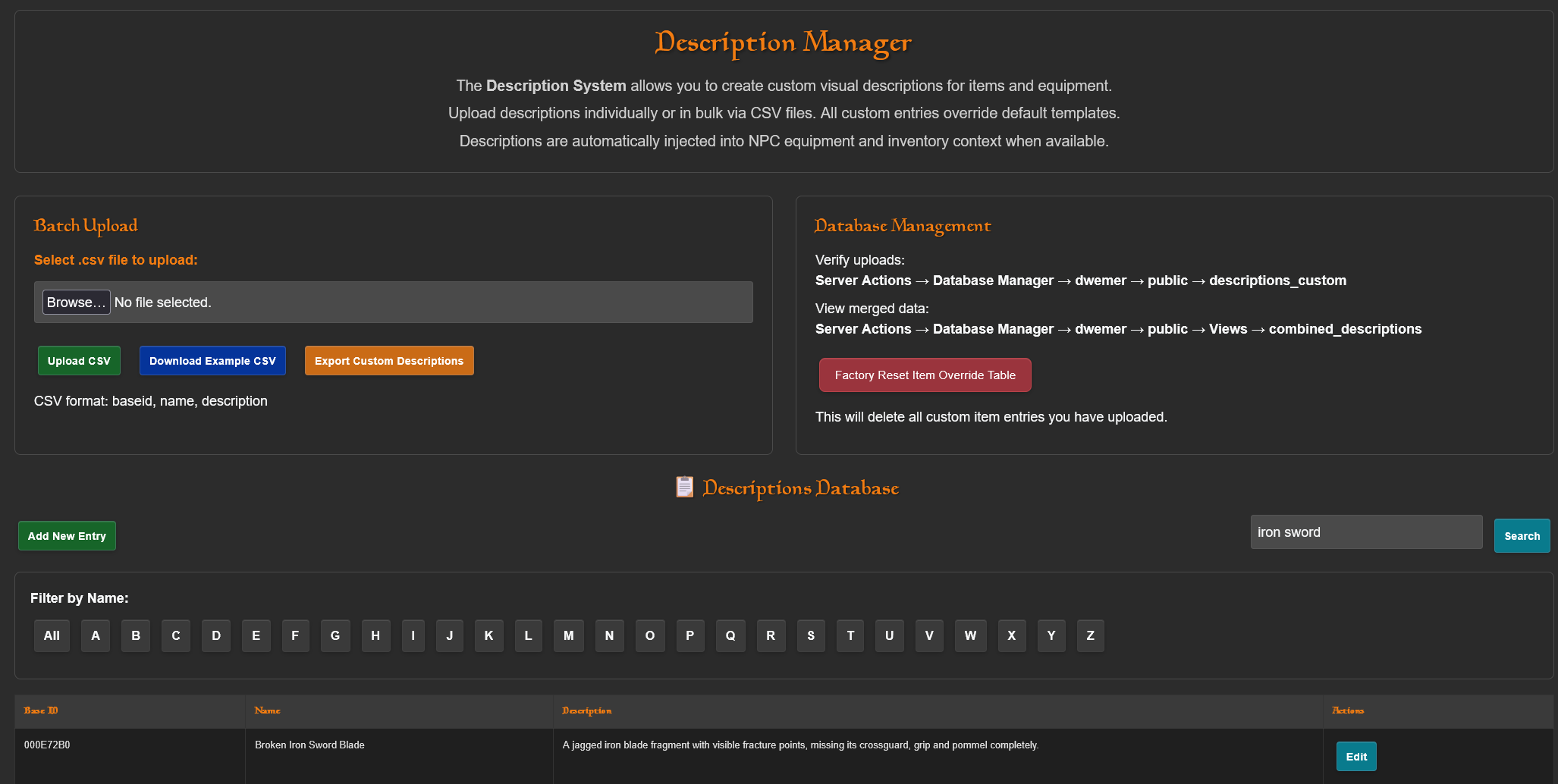
So we have the description manager. It is rather simple.
Anything ingame that has a baseid can be visually described. If that item, armor, magic event is included in the AI context the description will be attached.

Supported Description Types:
- Weapons, Armor, Clothing
- Potions, Ingredients, Food
- Books, Notes, Scrolls
- Spells, Enchantments
- Creatures, Animals
- Locations, Architecture
Features:
- Manual entry with Base ID and description
- CSV bulk import
- Mod support - CSVs can be bundled with mods for auto-import
- Descriptions are injected into AI context when items are referenced
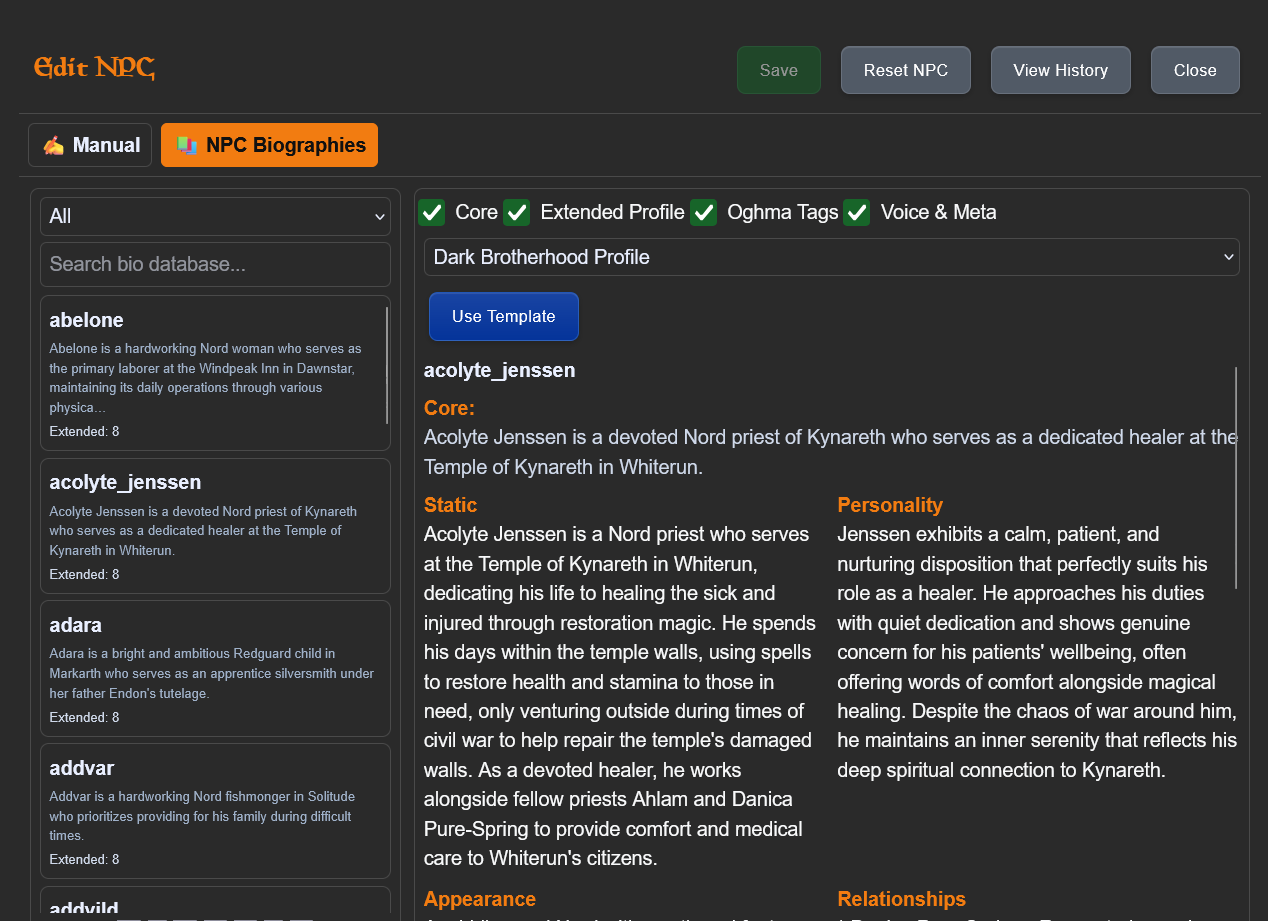
Just like with NPC bios you can create a csv file of a list of items and import them into the description manager.
Also these .csv's can be included into mods and automatically imported into CHIM. Here is more info: https://dwemerdynamics.hostwiki.io/en/Official-Custom-Follower
¶ Prompts Manager
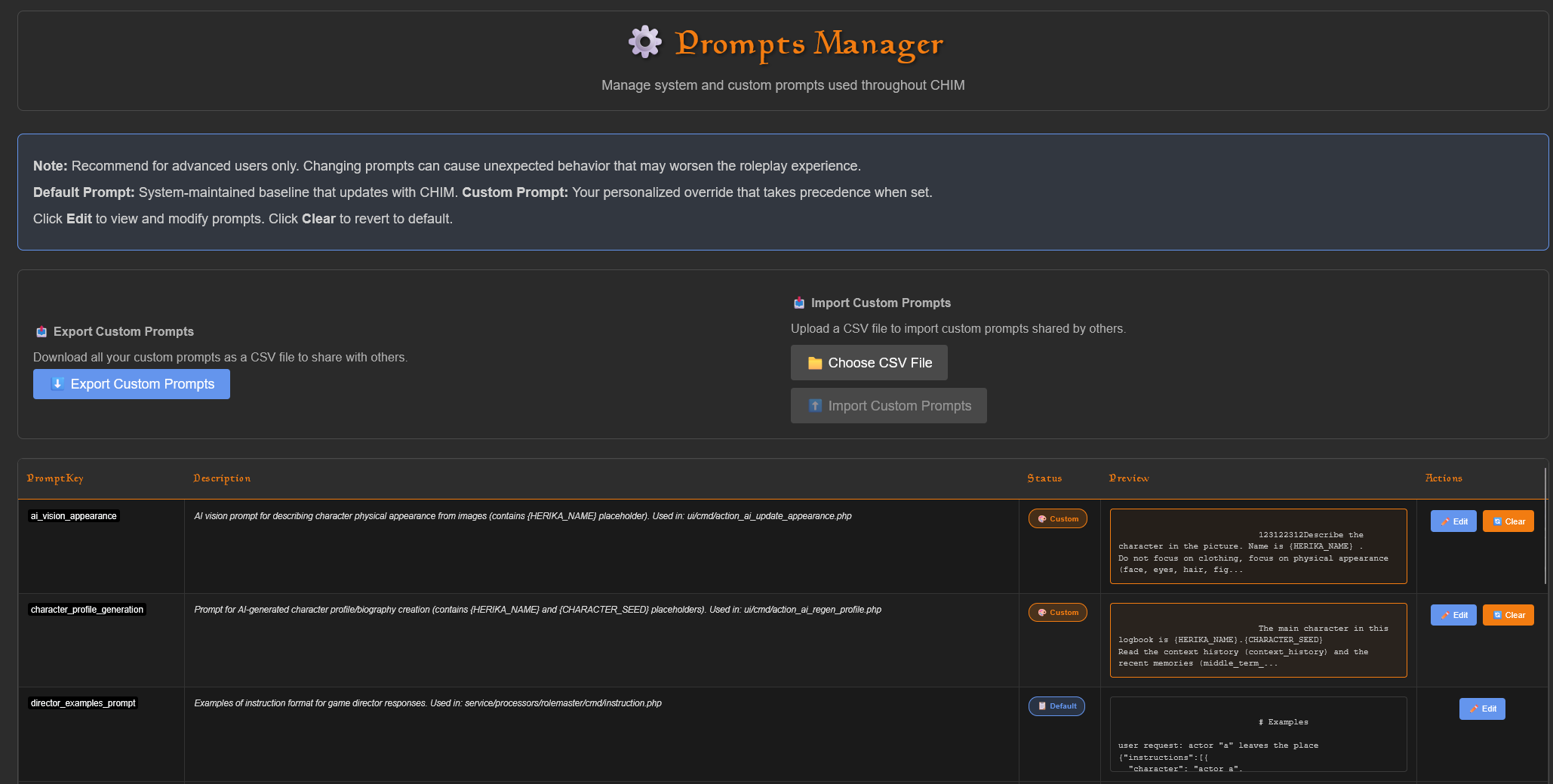
Customizable System Prompts:
- Director System Prompt - For Rolemaster/scene management
- Director Instruction Rules - How the director issues commands
- Background Life Letter - Style for NPC letters
- Background Life Inner Thought - Style for NPC soliloquies
- Relationship Analysis - How relationships are evaluated
- Memory Summary - How memories are summarized
- And many more...
Warning:
These are advanced settings. Modifying prompts incorrectly can break AI behavior. Only edit if you understand the system.
Prompts Manager allows you to customize some more of the advanced system prompts for CHIM.
We recommend not to touch these prompts unless you know what you are doing.